
- Other5Combat install
- Other5Characters install, Other5Combat needs it
- Other5 built in
Install them from the launcher's CREATE page. What each plugin provides
Rarity and bonuses
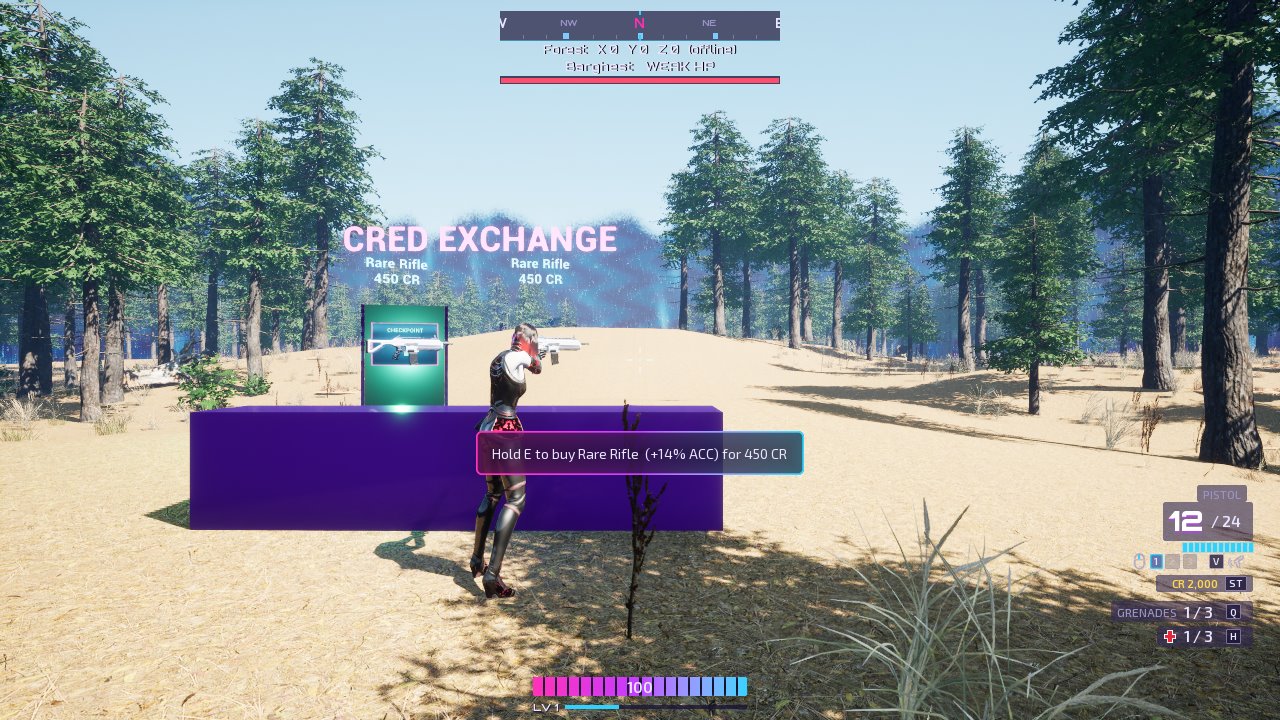
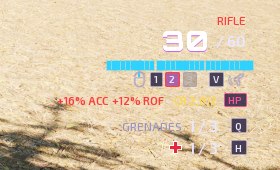
Weapons drop in six tiers: Common (grey, no bonus), Uncommon (green), Rare (blue), Heroic (red), Epic (purple) and Legendary (orange). Each tier above Common rolls +5% to +25% on one or two of damage, fire rate, accuracy and reload speed. While the weapon is in hand, its bonuses are applied as a GameplayEffect.
- To change the tiers, odds, bonus ranges or prices, make a Data Asset of class Other5 Rarity Table and set it as Rarity Table on your chests, shops and inventory. Leave it empty to use the defaults.
- The HUD outlines each weapon slot in its rarity colour and lists the bonuses of the weapon in hand.
1. Chests drop rolled weapons
Other5 Chest already rolls a rarity for every weapon it drops. In its Class Defaults:
- Weapon Lifetime: how long a dropped weapon stays (30 s). It blinks before it goes.
- Max Rarity: the rarest it can drop (-1 for any).
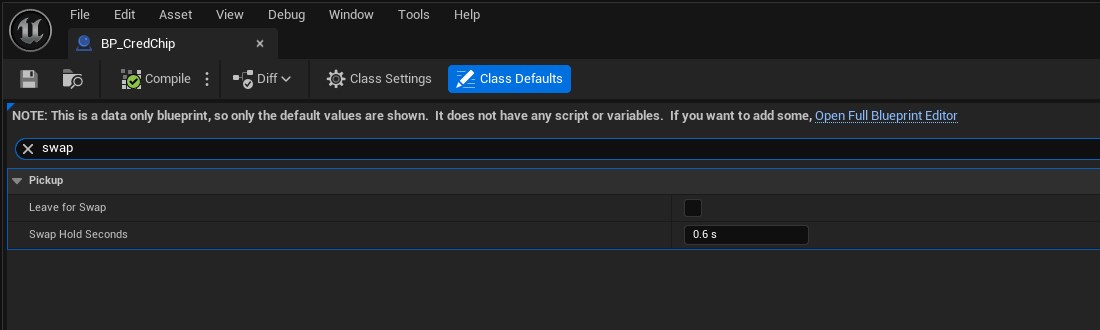
Walking over a gun you already carry takes its ammo, and the gun stays. Hold E while looking at it to swap it in. What you swap out is gone.
2. Enemies drop currency
- Make a Blueprint of Other5 Pickup and set Display Mesh, Display Material and Currency. That's your coin.
- On each enemy, set Currency Drop Class to it, plus a min and max.
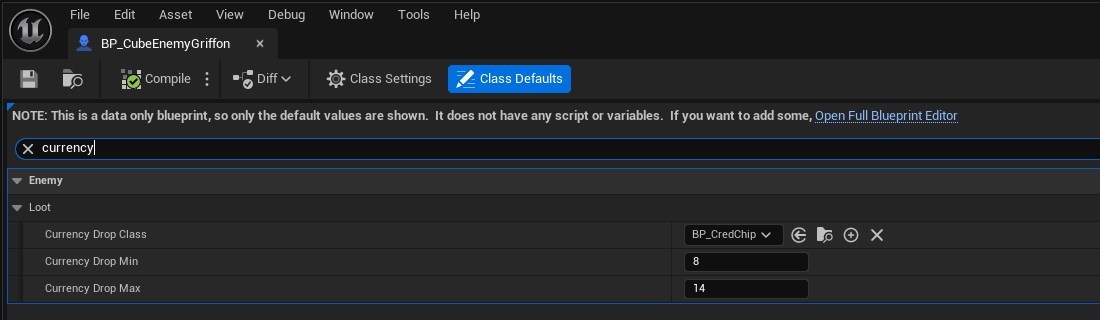
Each player who hurt the enemy gets their own drop, so everyone in a party earns. Currency is lost on death.
3. Add a shop
- Make a Blueprint of Other5 Shop and place it, or spawn it.
- Under Shop > Stock, pick the weapons, how many to offer and the rarity range. Prices come from the rarity table.
- For ammo, add Ammo Types and set the chance and price.
- Under Shop > Look, set the counter mesh, its material and the sign.
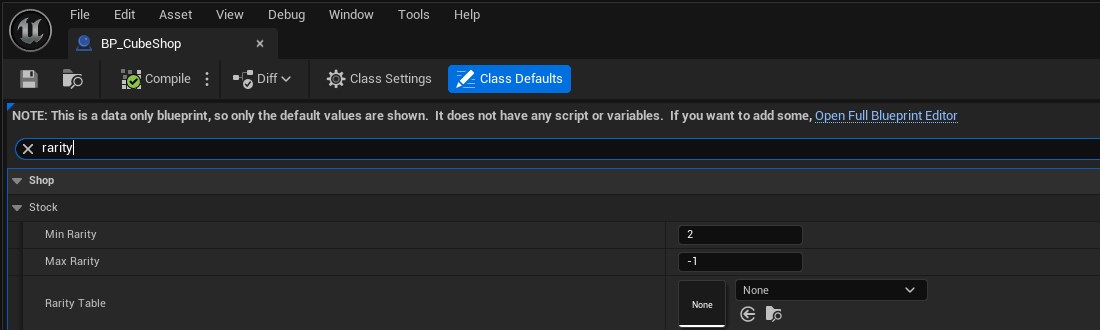
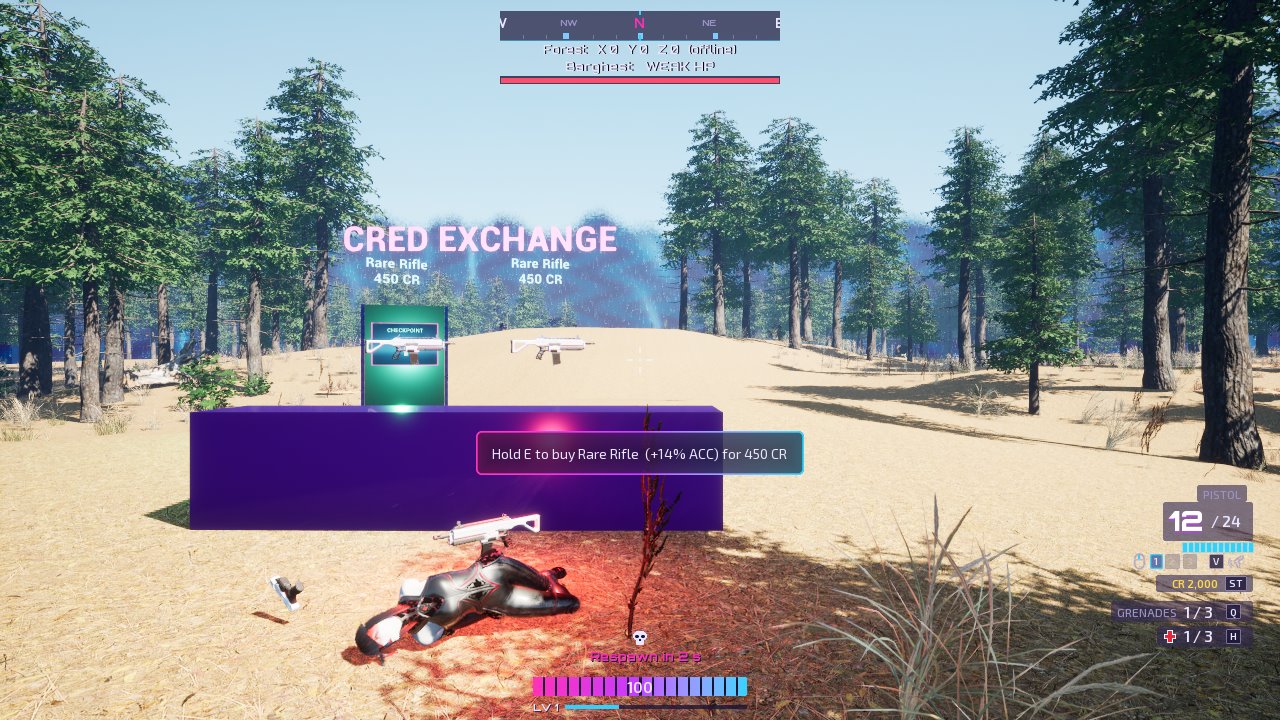
Players look at an item and hold E to buy it. Without enough currency, the prompt shows the price and what they have.
4. Death drops
When a player dies, their rarest weapon (Uncommon or better) stays where they fell, glowing, until someone takes it. Everything else is lost. You can change this on the character's Other5 Inventory Component with Drop Rarest On Death, Death Drop Min Rarity and Death Drop Class.
Good to know
- Anything can be used with E: implement Other5 Interactable in a Blueprint (Can Interact, Get Interact Text, Get Interact Hold Seconds, Interact).
- Weakness and ammo types are covered in Damage types and weaknesses.